
WebSockets: A Deep Dive into Real-Time Communication
From the upgrade handshake to production-grade gateways, rooms, backpressure and horizontal scaling.
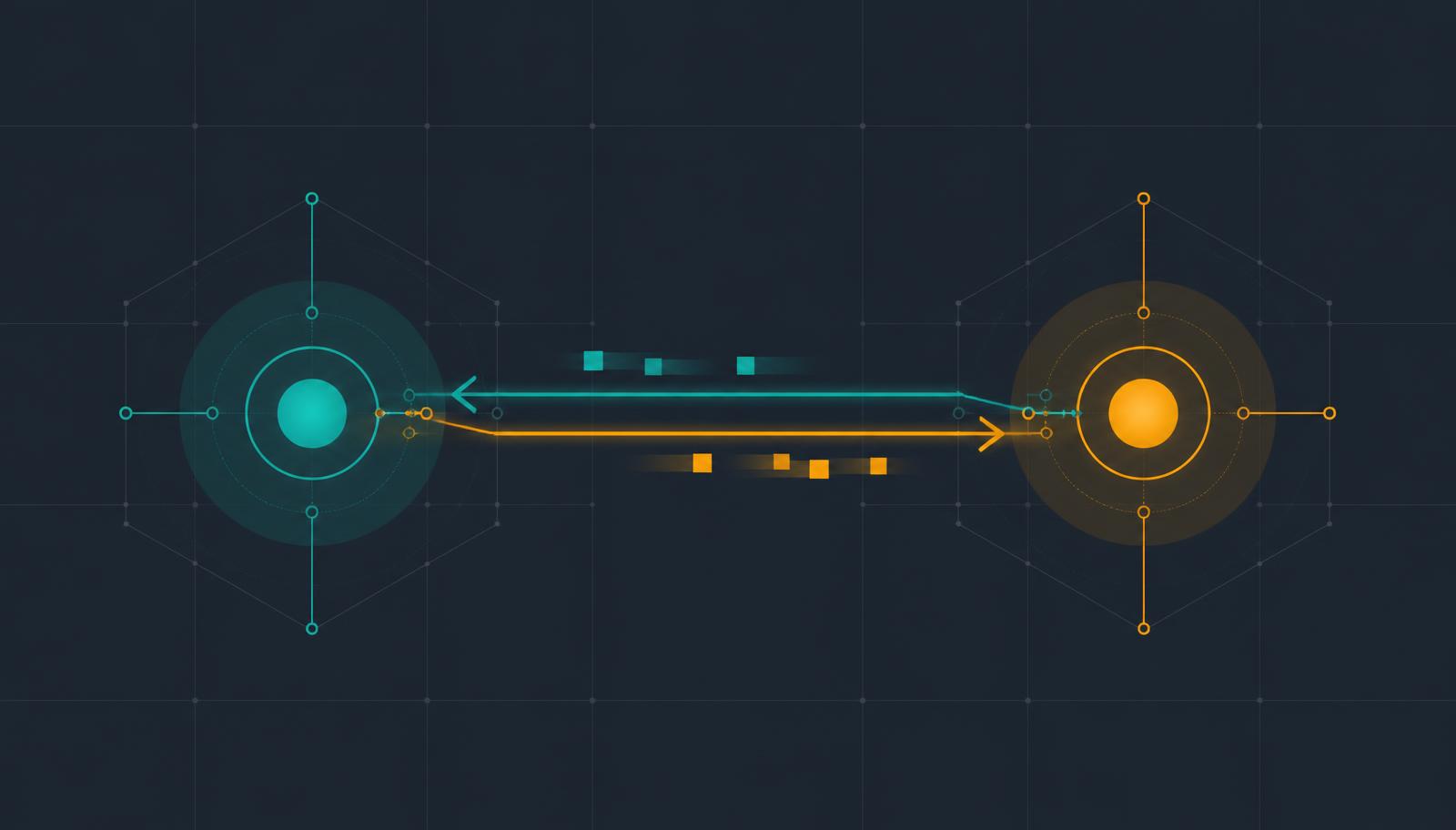
WebSockets are one of the most important technologies for building real-time applications. They let a client and a server hold a persistent connection open and exchange messages in both directions, without the client repeatedly asking "anything new yet?".
That single property is what makes chat, notifications, live dashboards, collaborative editors, multiplayer games, trading screens and delivery tracking feel instant.
1. What Are WebSockets?
A WebSocket is a protocol that provides a persistent, full-duplex channel between client and server over a single TCP connection.
With traditional HTTP:
Client                         Server
  |                              |
  | ------ HTTP Request -------> |
  | <----- HTTP Response ------- |
  |        Connection ends       |
With WebSockets:
Client                         Server
  | ---- HTTP Upgrade ---------> |
  | <---- 101 Switching -------- |
  | <==== Persistent TCP ======> |
  | <-------- Message ---------- |
  | -------- Message ----------> |
Once established, either side can send a message at any time. That is the fundamental difference.
2. Why Do We Need Them?
Without WebSockets, a chat client polls:
GET /messages
GET /messages
GET /messages
Most of those requests return nothing:
   | ---- Are there messages? ---> |
   | <--------- No --------------- |
   | ---- Are there messages? ---> |
   | <------ Yes, message -------- |
WebSockets invert the model — the server pushes as soon as something happens:
   | ---- Connect -------------> |
   | <---- Connected ----------- |
   | <---- New message --------- |
3. HTTP vs WebSockets
| Feature | HTTP | WebSocket |
|---|---|---|
| Connection | Request/response | Persistent |
| Communication | Usually client to server | Client and server |
| Server push | Not native | Native |
| Full duplex | No | Yes |
| Good for APIs | Excellent | Often unnecessary |
| Good for real-time | Limited | Excellent |
| Overhead | Higher for frequent updates | Lower after connect |
4. How the Connection Starts
A WebSocket connection begins as an HTTP request — an upgrade handshake.
GET /socket HTTP/1.1
Host: example.com
Upgrade: websocket
Connection: Upgrade
Sec-WebSocket-Key: ...
Sec-WebSocket-Version: 13
The server answers:
HTTP/1.1 101 Switching Protocols
Upgrade: websocket
Connection: Upgrade
Sec-WebSocket-Accept: ...
101 Switching Protocols means: the server agrees to leave HTTP semantics behind.
5. The Handshake in Practice
const socket = new WebSocket("wss://example.com/socket");
Browser
   | HTTP Upgrade Request
   v
Server
   | 101 Switching Protocols
   v
Browser <=================> Server
The connection now stays open.
6. ws:// vs wss://
ws:// is the unencrypted scheme; wss:// is TLS-encrypted, the equivalent of HTTPS.
const socket = new WebSocket("wss://api.example.com/ws");
In production, always use wss://.
7. Full Duplex
Client                         Server
  | -------- Message A --------> |
  | <------- Message B --------- |
  | -------- Message C --------> |
  | <------- Message D --------- |
Neither side waits on the other.
8. Connection Lifecycle
CONNECTING -> OPEN -> CLOSING -> CLOSED
const socket = new WebSocket("wss://example.com/ws");

socket.onopen = () => console.log("Connected");
socket.onmessage = (event) => console.log("Message:", event.data);
socket.onerror = (error) => console.error(error);
socket.onclose = () => console.log("Disconnected");
9. Sending Messages
socket.send("Hello server");
send("Hello")  -------------------->
               <--------------------  "Hello client"
10. Message Types
Text:
socket.send("hello");
JSON:
socket.send(JSON.stringify({ type: "message", content: "Hello" }));
Binary payloads work too: images, audio, files, compressed data or custom protocols.
11. Why JSON Dominates
Most business applications use JSON because it is readable and easy to evolve:
{
  "event": "notification.created",
  "data": { "id": "123", "title": "New message" }
}
That gives you a simple event-driven protocol on top of a raw transport.
12. Event-Oriented Design
notification.created
message.created
message.read
user.typing
order.updated
payment.completed
The client receives an event and decides what to render:
{
  "event": "order.updated",
  "data": { "orderId": "ORD-123", "status": "SHIPPED" }
}
13. WebSockets vs Polling
Polling costs you unnecessary requests, HTTP overhead, delayed updates and wasted server capacity. A persistent connection removes all four when updates are frequent or unpredictable.
14. Long Polling
The server holds the request open until data exists:
Client ---------------- Request ----------------> Server
                         waits...
                         new event
Client <--------------- Response --------------- Server
It works, but it is still request/response underneath.
15. Server-Sent Events vs WebSockets
SSE is one-directional (server to client) and excellent for live feeds, notifications, dashboards and streaming updates.
WebSockets are bidirectional and better for chat, games, collaboration, typing indicators and anything the client must push in real time.
16. A Simple Server
const WebSocket = require("ws");

const server = new WebSocket.Server({ port: 8080 });

server.on("connection", (socket) => {
  console.log("Client connected");
  socket.send("Welcome!");

  socket.on("message", (message) => {
    console.log("Received:", message);
    socket.send(`You said: ${message}`);
  });

  socket.on("close", () => console.log("Client disconnected"));
});
             WebSocket Server
       +------------+------------+
       |            |            |
    Client A     Client B     Client C
17. Broadcasting
server.clients.forEach((client) => {
  if (client.readyState === WebSocket.OPEN) {
    client.send(message);
  }
});
Alice -> Server
Server -> Bob
Server -> Charlie
18. Rooms
                 WebSocket Server
                  /            \
          Developers           Designers
          /   |   \             / | \
       Alice Bob Charlie      David Emma Frank
Only members of a room should receive its messages, which means the server must track membership.
19. Authentication
Every connection must map to a user:
socket -> user -> permissions
Login -> Access Token -> WebSocket Connection -> Authenticate -> User Session
Never assume that whoever connects may subscribe to everything.
20. JWT and WebSockets
POST /login -> JWT -> WebSocket connection -> JWT validation -> Authenticated socket
The transport mechanism for the credential varies. The principle does not:
Authenticate a WebSocket connection exactly as you would any other protected resource.
21. Authorization
Authentication answers who are you. Authorization answers what may you do.
User: Melak

Allowed:      chat:read, chat:send, notification:read
Not allowed:  admin:broadcast, admin:delete-user
Enforce this inside every handler.
22. Connection Management
One user is rarely one socket:
userId -> multiple sockets
Laptop, phone, tablet and several browser tabs are all normal.
23. Heartbeats and Ping/Pong
Server -> ping
Client -> pong
If the pong stops arriving, close the connection. Otherwise dead sockets accumulate forever.
24. Reconnection
Wi-Fi changes, laptops sleep, servers restart. Clients should reconnect:
Connected -> Disconnected -> Wait -> Reconnect
                                 +-- success -> Connected
                                 +-- failure -> Wait again
Use exponential backoff: 1s, 2s, 4s, 8s, 16s, up to a maximum.
25. Why Backoff Matters
100,000 clients -> instant reconnect -> server overloaded
That is the classic thundering herd. Backoff spreads the storm over time.
26. Message Ordering
Attach sequence numbers to important events:
{ "event": "order.updated", "sequence": 42, "data": {} }
Then a client that sees 40, 41, 42, 44 knows 43 is missing.
27. A Socket Is Not Reliability
A WebSocket gives you a channel. It does not give you durable messages, exactly-once delivery, guaranteed processing, database consistency, replay or distributed delivery guarantees. Those remain application concerns.
28. Acknowledgements
{ "id": "msg-123", "event": "payment.updated", "data": {} }
{ "type": "ack", "messageId": "msg-123" }
Now the server knows the event was received and processed.
29. WebSockets in Microservices
                    WebSocket Gateway
                           |
                     Message Broker
                    /      |       \
               Order     Payment   Notification
              Service    Service      Service
Do not let every service hold its own client sockets. Put a dedicated real-time gateway in front.
30. WebSockets + Redis
                Load Balancer
             WS1     WS2     WS3
Alice is on WS1, Bob on WS3. When WS2 receives an event, it needs a shared channel:
WS1 --+
WS2 --+-- Redis Pub/Sub
WS3 --+
31. The Scaling Problem
A connection lives on exactly one node:
Alice -> WS1
Bob   -> WS2
For Bob to reach Alice, WS2 must talk to WS1 — through a broker, not through memory.
32. Redis Pub/Sub Architecture
                    Redis Pub/Sub
             WS1    WS2    WS3
            Alice   Bob   Charlie
Each node decides which of its local clients should receive the event.
33. WebSockets + Kafka
Order Service -> Kafka -> Realtime Service -> WebSocket Gateway -> Clients
Kafka brings durability, replay, throughput and independent consumers. Kafka is an event streaming platform; WebSockets are a client transport. They complement each other.
34. WebSockets + RabbitMQ
Business Services -> RabbitMQ -> Realtime Gateway -> WebSocket -> Clients
Same separation: backend messaging versus client-facing delivery.
35. A Real-Time Notification Flow
Payment Service -> Event Broker -> Notification Service -> WebSocket Gateway -> Client
{
  "event": "payment.completed",
  "data": { "paymentId": "PAY-123", "status": "SUCCESS" }
}
36. The Transactional Outbox
Publishing directly from a transaction is risky:
Database transaction
       +---- success
       +---- WebSocket publish fails
The payment is SUCCESS, and the client never hears about it. An outbox fixes it:
Database Transaction
       +---- Payment
       +---- Outbox Event -> Event Publisher -> Broker -> Gateway -> Client
Durable business state and transient delivery stop sharing a fate.
37. Chat Architecture
Client -> WebSocket Gateway -> Redis + Database -> Message Routing
Alice -> Gateway
          +----> persist message
          +----> publish event
                    -> Bob
Database for history, socket for immediacy, broker for distribution.
38. Typing Indicators
Alice -> typing.start -> Server -> Bob
Alice -> typing.stop  -> Server -> Bob
These events do not belong in a database. Not every real-time event needs durable storage.
39. Presence
Alice     ONLINE
Bob       OFFLINE
Charlie   ONLINE
Connecting publishes user.online, disconnecting user.offline — but presence gets subtle once a user has several connections.
40. Multiple Devices
Alice's laptop -> WS1
Alice's phone  -> WS2
Alice's tablet -> WS3
A message sent from the phone must sync to the laptop and tablet too. Manage connections per user, not per socket.
41. Backpressure
Server: 1000 messages/sec
Client: processes 100 messages/sec
Consider buffering, queue limits, dropping non-critical events, batching, throttling, rate limiting and disconnect policies.
42. High-Frequency Events
100.01
100.02
100.03
Throttle, batch, send only meaningful changes, or push periodic snapshots.
43. Security Checklist
- Authentication — who is connecting?
- Authorization — what may they subscribe to?
- Origin validation — where is the connection from?
- Rate limiting — how many messages per second?
- Input validation — is this payload valid?
- Payload limits — how large can a message be?
- TLS — always
wss://in production.
44. Never Trust a Message
A client can send anything:
{ "event": "admin.deleteUser", "userId": "123" }
So validate in order:
Authentication -> Authorization -> Schema validation -> Business rules -> Execution
A WebSocket is not a security boundary.
45. Rate Limiting
A hostile client will happily send 10,000 messages per second. Cap it — for example 100 messages per 10 seconds — and throttle or disconnect beyond that.
46. Connection Limits
Limit total connections, connections per user, connections per IP, message size, subscriptions and rooms. Without limits, your socket endpoint is a resource-exhaustion target.
47. Reverse Proxies
Internet -> Nginx -> WebSocket Server
The proxy must forward Upgrade: websocket. A misconfigured proxy fails the handshake, and the error rarely points at the proxy.
48. Load Balancing
Long-lived connections behave nothing like short HTTP requests: once a client lands on a node, it stays there until the connection closes.
49. Sticky Sessions
Alice -> Load Balancer -> WS2
Stickiness simplifies some designs but never removes the need for shared state or a broker in a horizontally scaled system.
50. Observability
active_connections
connections_created
connections_closed
messages_received
messages_sent
message_latency
connection_duration
authentication_failures
rate_limit_events
errors
Active WebSocket connections: 42,500
Messages/sec: 8,200
Average latency: 35ms
Connection failures: 0.4%
51. Logging
connection.created
connection.authenticated
subscription.created
message.received
message.sent
connection.closed
Log the shape of traffic, not sensitive payloads — especially in financial systems.
52. Testing
Cover connection, invalid authentication, cross-user authorization, messaging, reconnection after network failure, cross-instance delivery and load with thousands of concurrent sockets.
53. Common Mistakes
- Treating WebSockets as REST — do not send
ws.send("GET /users"). Send events. - No authentication — the connection is never inherently trusted.
- No reconnection strategy — networks fail; design for it.
- No heartbeat — dead sockets linger.
- No message validation — never trust client payloads.
- Everything in memory — local state does not survive three nodes.
- Too many events — you can drown both client and network.
54. When to Use WebSockets
Chat, multiplayer games, collaborative editors, live notifications, trading interfaces, real-time dashboards, delivery tracking, live monitoring, typing indicators, presence and interactive support.
55. When Not To
For ordinary CRUD:
POST /users
GET /users
PUT /users/:id
DELETE /users/:id
REST wins. If the client only needs occasional server updates, SSE is simpler. If nothing is real-time, WebSockets are pure complexity.
56. Not a Replacement for REST
                    Application
             +----------+----------+
           REST                WebSocket
       CRUD operations     Real-time events
Mature systems use both.
57. REST + WebSocket Together
GET /orders                       -> initial state
wss://api.example.com/realtime    -> subsequent changes
58. Initial State Plus Updates
1. GET current state
2. Open WebSocket
3. Receive future events
Do not try to rebuild the entire application state from a stream alone.
59. Event Design
{
  "id": "evt_123",
  "type": "order.updated",
  "timestamp": "2026-08-18T07:00:00Z",
  "version": 4,
  "data": { "orderId": "order_123", "status": "SHIPPED" }
}
id, type, timestamp, version and data pay for themselves quickly.
60. Event Naming
order.created     payment.created      user.created
order.updated     payment.completed    user.updated
order.cancelled   payment.failed       user.deleted
Avoid the zoo of newOrder, ORDER_UPDATE, paymentDone, UserCreatedEvent.
61. The Gateway Pattern
                   Clients
              WebSocket Gateway
                Message Broker
     Orders     Payments   Notifications
The gateway owns connections, authentication, subscriptions, rooms and delivery. Services own business logic, databases, transactions and domain events.
62. NestJS WebSockets
@WebSocketGateway()
export class NotificationGateway {

  @SubscribeMessage('subscribe')
  handleSubscribe(client: Socket) {
    // ...
  }
}
A gateway handles connection, disconnection, message events, rooms and broadcasting, with pluggable adapters underneath.
63. A NestJS Architecture
                    Frontend
            REST             WebSocket
        Controllers          Gateway
                  Application
                     Layer
                 Domain Logic
           Database          Broker
                        Redis/Kafka/RMQ
Both transports share one application layer instead of duplicating rules.
64. Clean Architecture
Transport
   +---- REST Controller
   +---- WebSocket Gateway
            v
      Application Service
            v
        Domain Logic
            v
       Infrastructure
Business logic must not know what a socket is.
65. The Mental Model
Think of a WebSocket as:
A persistent, bidirectional transport channel.
Not as a replacement for REST. The protocol solves communication. Your architecture still solves authentication, authorization, state, persistence, reliability, scaling, observability, error handling, ordering and distribution.
66. A Production Architecture
                           INTERNET
                        Load Balancer
           WS-1             WS-2             WS-3
                         Redis / Broker
      Order Service   Payment Service   Notification
                           Database
Client side:
                Frontend
      REST                 WebSocket
 Initial State         Real-time Events
              UI State
67. Conclusion
HTTP:
Client -> Request  -> Server
Client <- Response <- Server
WebSockets:
Client <-> Persistent Connection <-> Server
Opening a socket is easy. Running one in production means owning connection lifecycle, authentication, authorization, heartbeats, reconnection, validation, event design, ordering, acknowledgements, rooms, presence, rate limiting, backpressure, load balancing, broker fan-out, horizontal scaling, observability and reliability.
The lesson worth keeping:
Use REST/HTTP for state-oriented operations, and WebSockets for real-time state changes — when the product actually needs them.
For a backend developer working with NestJS, Go, microservices, Redis, RabbitMQ or Kafka, Docker and PostgreSQL, understanding WebSockets at this architectural level matters far more than memorising socket.send().
Comments · 0
Be the first to comment.