
Audit Logs in Software Development: A Deep Guide to Building Reliable, Secure, and Traceable Systems
Who did what, to which resource, when, from where — and what actually changed
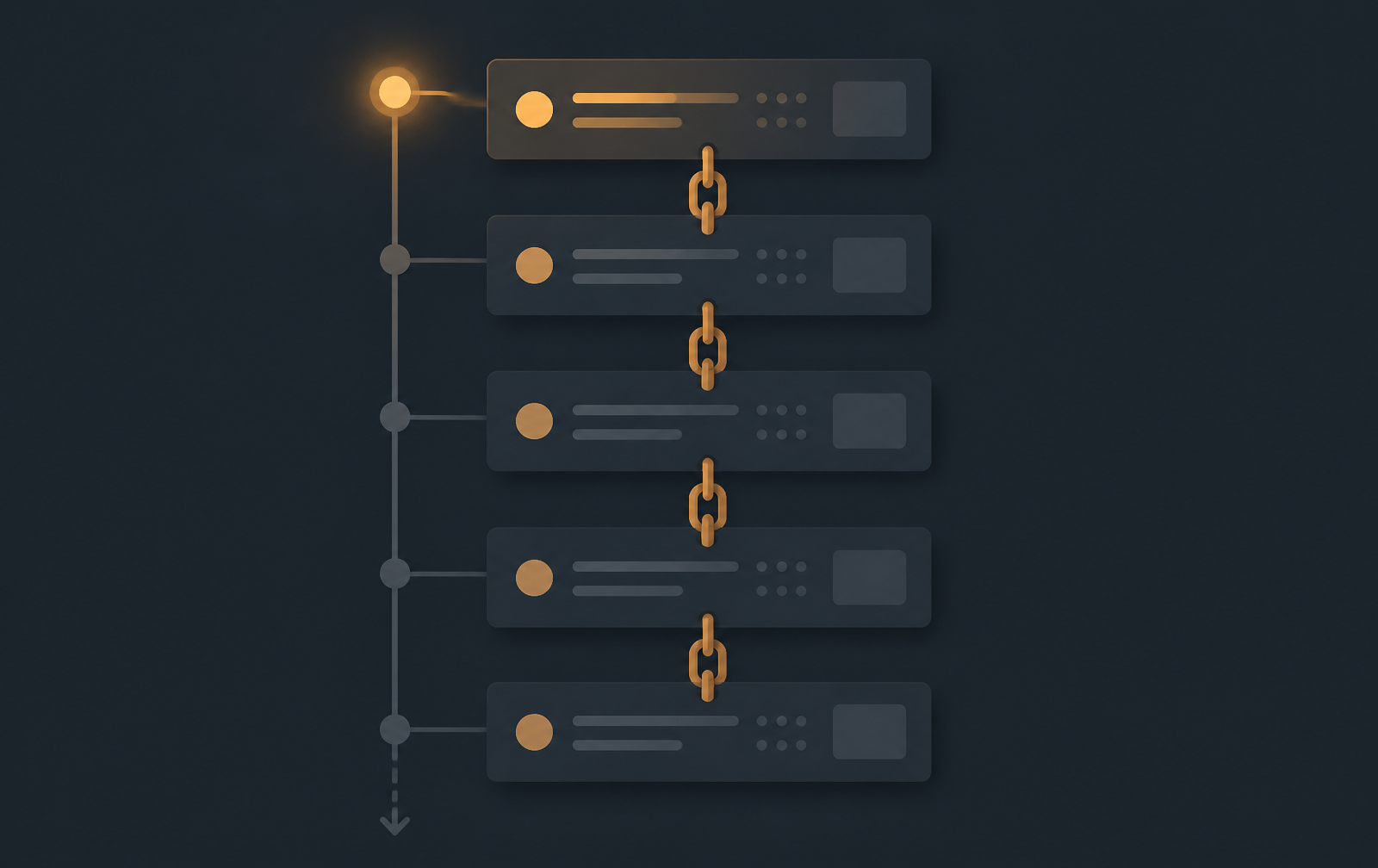
If something changes in your system and you cannot reliably answer who changed it, what changed, when it changed, and why it changed, you don't have a complete audit trail.
Almost every serious software system eventually needs an audit log.
A user changes their email address. An administrator changes someone's role. A financial transaction is approved. A payment is refunded. A document is deleted. A configuration changes in production. A support engineer accesses sensitive information.
Six months later, someone asks:
"Who did this?"
If your system only stores current state, you may have no answer. That's the purpose of an audit log: a record of important actions and changes so the system can reconstruct what happened over time.
But audit logging is much more than adding an audit_logs table. A production-grade audit system requires decisions about what to log, who performed the action, what exactly changed, where the request originated, how to prevent logs from being modified, how to handle background jobs and microservices, how to protect sensitive data, and how to search and retain millions of records.
Let's go deep.
1. What Is an Audit Log?
An audit log is a chronological record of security-relevant, business-relevant, or data-changing activities performed within a system.
A basic event might look like:
{
  "actorId": "user_123",
  "action": "USER_ROLE_CHANGED",
  "entityType": "USER",
  "entityId": "user_456",
  "timestamp": "2026-08-13T07:00:00Z"
}
A mature audit log goes further:
{
  "id": "audit_987",
  "actorId": "user_123",
  "actorType": "USER",
  "action": "USER_ROLE_CHANGED",
  "entityType": "USER",
  "entityId": "user_456",
  "before": { "role": "USER" },
  "after": { "role": "ADMIN" },
  "ipAddress": "192.0.2.10",
  "userAgent": "...",
  "requestId": "req_123",
  "source": "WEB",
  "timestamp": "2026-08-13T07:00:00Z"
}
Now you have a genuine historical record.
2. Why Do We Need Audit Logs?
Security — Who changed the administrator permissions?
Compliance — Organizations may need evidence of access, changes, approvals, transactions, and administrative actions.
Debugging — An audit log can reveal a causal sequence:
10:32 — Configuration changed
10:33 — Service restarted
10:34 — Errors started
Fraud detection — Suppose an employee:
Changes customer account
→ Changes transaction
→ Approves transaction
→ Deletes evidence
An audit trail exposes the sequence.
Accountability — Audit logs create traceability.
3. Audit Logs vs Application Logs
These are related but different.
Application logs are for debugging, errors, performance, and operational monitoring:
ERROR PaymentService: Payment provider timeout
Audit logs are for accountability, security, historical reconstruction, and business actions:
USER_123 changed invoice INV_100 from DRAFT to APPROVED
A useful distinction:
Application logs explain what the system experienced. Audit logs explain what people or system actors did.
4. Audit Logs vs Database History
A database record tells you the current state. An audit log tells you how you got there.
users.role = ADMIN
The database tells you the current role. It doesn't tell you:
Monday:  USER
Tuesday: MANAGER
Friday:  ADMIN
Audit history can.
5. The Core Audit Questions
WHO
 │
 ├── WHAT
 ├── WHICH RESOURCE
 ├── WHEN
 ├── WHERE
 ├── HOW
 └── WHY
Who performed the action? What happened? Which entity was affected? When? Where did the request originate? Which interface triggered it? And, if relevant, why?
6. Designing the Audit Log Schema
A practical relational model:
CREATE TABLE audit_logs (
    id UUID PRIMARY KEY,

    actor_id UUID,
    actor_type VARCHAR(50),

    action VARCHAR(100) NOT NULL,

    entity_type VARCHAR(100),
    entity_id VARCHAR(255),

    before_data JSONB,
    after_data JSONB,

    metadata JSONB,

    ip_address INET,
    user_agent TEXT,

    request_id VARCHAR(255),

    created_at TIMESTAMP WITH TIME ZONE NOT NULL
);
This is a starting point, not a finished design.
7. Understanding Each Field
id — a unique identifier for the audit event. Prefer globally unique IDs if you have distributed services.
actor_id — who performed the operation. This should usually be nullable, because not every action is performed by a human.
8. Actor Types
USER
ADMIN
SERVICE
SYSTEM
API_KEY
WORKER
WEBHOOK
{ "actorType": "SERVICE", "actorId": "payment-service" }
This matters enormously in microservices.
9. The Action
Don't store vague values like UPDATE. Prefer meaningful domain actions:
USER_CREATED
USER_ROLE_CHANGED
PASSWORD_RESET_REQUESTED
INVOICE_APPROVED
PAYMENT_REFUNDED
ORDER_CANCELLED
DOCUMENT_DOWNLOADED
Actions become extremely useful for searching and reporting.
10. Entity Type
{
  "action": "ORDER_CANCELLED",
  "entityType": "ORDER",
  "entityId": "order_123"
}
11. Before and After Values
{
  "before": { "status": "PENDING" },
  "after":  { "status": "APPROVED" }
}
Now you can reconstruct exactly what changed.
12. Don't Automatically Store the Entire Object
A common mistake. Suppose a user object contains a password hash, phone, and address. Logging the whole object leaks sensitive information into your audit store. Record only the relevant changes:
{
  "before": { "role": "USER" },
  "after":  { "role": "ADMIN" }
}
13. Field-Level Changes
An even better format for many systems:
{
  "changes": [
    { "field": "role",   "oldValue": "USER",   "newValue": "ADMIN" },
    { "field": "status", "oldValue": "ACTIVE", "newValue": "SUSPENDED" }
  ]
}
This makes searching and rendering diffs much easier.
14. Request ID
Every audit event should ideally carry a request or correlation ID:
X-Request-ID: req_8a92...
Then:
Request
   │
   ├── Application Logs
   ├── Database Changes
   └── Audit Log
can all be connected — invaluable in distributed systems.
15. IP Address and 16. User Agent
For security-sensitive operations, record the source IP and user agent where appropriate. They help investigate suspicious logins, administrative changes, and account takeover.
But both are sensitive data in many contexts. Collect only what you need, and let retention and access policies reflect that.
17. Source
WEB | MOBILE | API | ADMIN_PANEL | WORKER | CRON | WEBHOOK | SYSTEM
{ "source": "ADMIN_PANEL" }
18. Why Did the Action Happen?
{
  "action": "ACCOUNT_SUSPENDED",
  "reason": "Suspicious activity detected"
}
Especially valuable for approvals, rejections, suspensions, manual overrides, and financial adjustments.
19. Audit Successful and Failed Actions?
For security-sensitive actions, failed attempts matter:
LOGIN_FAILED
PASSWORD_RESET_FAILED
PERMISSION_DENIED
PAYMENT_FAILED
EXPORT_FAILED
{ "status": "FAILED", "errorCode": "INSUFFICIENT_PERMISSION" }
Not every low-level failure belongs in the audit log. Use judgment.
20. Audit Business Events, Not Every Database UPDATE
A naive implementation says: every SQL UPDATE generates an audit record. That becomes noise.
UPDATE users SET last_seen_at = NOW();
Do you really need an audit record? Usually not. Audit meaningful events instead:
USER_ROLE_CHANGED
USER_EMAIL_CHANGED
ACCOUNT_SUSPENDED
21. Application-Level Auditing
await userService.changeRole(userId, newRole);

await auditService.record({
  actorId,
  action: 'USER_ROLE_CHANGED',
  entityType: 'USER',
  entityId: userId,
  before: { role: oldRole },
  after: { role: newRole },
});
The application understands the business meaning.
22. Database-Level Auditing
CREATE TRIGGER audit_user_changes
AFTER UPDATE ON users
FOR EACH ROW
EXECUTE FUNCTION audit_user_update();
Advantages: harder to bypass, captures direct database changes, centralized. Disadvantages: missing business context, complicated triggers, harder debugging, no distributed metadata.
23. Comparing the Approaches
| Approach | Strength | Weakness |
|---|---|---|
| Application | Rich business context | Can be bypassed |
| Database trigger | Strong coverage | Limited business context |
| Middleware | Easy for HTTP actions | Misses internal operations |
| Event-driven | Scalable | More complex |
There is no universal answer. For most business applications, application-level auditing plus database controls where necessary is practical.
24. Middleware-Based Auditing
HTTP middleware automatically captures user, request, IP, method, URL, response, and request ID. But middleware doesn't know that the request changed John from USER to ADMIN. The domain layer knows that.
Middleware is best for request context; domain code provides business meaning.
25. A Better Architecture
HTTP Request
     │
     ▼
Middleware
     │
     ├── requestId
     ├── actor
     ├── IP
     └── userAgent
     │
     ▼
Controller
     │
     ▼
Service
     │
     ├── Business Operation
     └── Audit Event
     │
     ▼
Audit Store
26–28. Transactional Audit Logging
Consider this sequence:
Update Account → Database Commit → Write Audit Log
What if the audit insert fails? The business operation succeeded and the audit record is missing. For important operations, that's unacceptable.
Put the business change and the audit event in the same transaction:
BEGIN TRANSACTION
UPDATE account
INSERT audit_log
COMMIT
await prisma.$transaction(async (tx) => {
  const account = await tx.account.update({
    where: { id: accountId },
    data: { status: 'SUSPENDED' },
  });

  await tx.auditLog.create({
    data: {
      actorId,
      action: 'ACCOUNT_SUSPENDED',
      entityType: 'ACCOUNT',
      entityId: accountId,
      beforeData: { status: 'ACTIVE' },
      afterData: { status: 'SUSPENDED' },
    },
  });

  return account;
});
Now both operations succeed or fail together.
29. Audit Logs in Microservices
Order Service → Payment Service → Notification Service
A single business operation produces multiple events. You need correlation:
correlationId = corr_123

Order Created
Payment Initiated
Payment Completed
Notification Sent
30. Distributed Audit Architecture
                API Gateway
                     │
                     ▼
              Service Layer
                     │
              Audit Event
                     │
                     ▼
               Message Broker
               /           \
       Audit Worker       Analytics
              │
              ▼
        Audit Database
Kafka, RabbitMQ, Pulsar, SQS, or Redis Streams — the technology depends on your architecture.
31. Synchronous vs Asynchronous
Synchronous gives strong consistency and an immediate audit record, but adds latency and couples business operations to audit database availability.
Asynchronous lowers request latency and scales, but is eventually consistent and can lose events without reliable delivery.
32. Transactional Outbox
Instead of writing to the database and the broker in one transaction, write business data and an outbox event in one database transaction:
Outbox Worker → Message Broker → Audit Service
This gives reliable event publication.
33–36. Immutability and Tamper Evidence
Audit records should generally be append-only.
Avoid exposing PUT /audit-logs/:id or DELETE /audit-logs/:id to application users. If an administrator can create, update, and delete audit records, a malicious administrator can delete evidence — which defeats the entire purpose.
Protect audit logs with strict permissions, read-only access for most users, separate database roles, encryption, immutable storage where required, monitoring, and retention policies. The people being audited should not be able to modify the evidence.
For high-security environments, hash chaining provides tamper detection:
Event 1 └── hash1
Event 2 ├── previousHash = hash1
        └── hash2
Event 3 ├── previousHash = hash2
        └── hash3
Change Event 2 and every subsequent hash becomes invalid.
37–39. Sensitive Data, Masking, and Minimization
Never casually log passwords, access tokens, refresh tokens, API keys, private encryption keys, full card numbers, or CVVs. Be especially careful with Authorization and Cookie headers.
Mask what you don't need in full:
{
  "oldValue": "+251******4567",
  "newValue": "+251******5678"
}
A good rule:
Audit enough information to prove what happened, but don't collect sensitive information without a reason.
Ask: "If this audit database were exposed, what damage could this field cause?" That question should shape your schema.
40. Retention
10,000 events/day = 3.65 million events/year
At 2 KB/event ≈ 7.3 GB/year
Before indexes, replication, and backups. Define retention policies:
Hot storage:  90 days
Archive:      2 years
Long-term:    Based on compliance requirements
41. Partitioning
audit_logs_2026_01
audit_logs_2026_02
audit_logs_2026_03
Time-based partitioning makes queries faster, archiving easier, and expiration manageable. PostgreSQL's partitioning is well suited to this workload.
42. Indexing
CREATE INDEX idx_audit_actor      ON audit_logs(actor_id);
CREATE INDEX idx_audit_entity     ON audit_logs(entity_type, entity_id);
CREATE INDEX idx_audit_action     ON audit_logs(action);
CREATE INDEX idx_audit_created_at ON audit_logs(created_at);
Don't create every possible index blindly — indexes have storage and write costs.
43–44. Searching and the Audit UI
┌───────────────────────────────────────────────────────────┐
│ Audit History                                             │
├───────────────────────────────────────────────────────────┤
│ 13 Aug 09:42                                              │
│ Melak changed User #123                                   │
│ Role: USER → ADMIN                                        │
│                                                           │
│ Request: req_8a92                                         │
│ Source: Admin Panel                                       │
└───────────────────────────────────────────────────────────┘
Clicking an event should reveal actor, action, entity, before, after, IP, user agent, request ID, timestamp, and reason. This turns raw records into an operational tool.
45. Audit Logs and Soft Deletes
Soft delete (deleted_at = timestamp) preserves the row. But you should still audit the business action:
USER_DELETED
The audit event records the action; the database records the state. They serve different purposes.
46–49. What to Audit by Domain
Authorization: ROLE_CREATED, ROLE_UPDATED, ROLE_DELETED, PERMISSION_GRANTED, PERMISSION_REVOKED, USER_ROLE_CHANGED.
Authentication: LOGIN_SUCCESS, LOGIN_FAILED, LOGOUT, PASSWORD_CHANGED, PASSWORD_RESET_REQUESTED, PASSWORD_RESET_COMPLETED, MFA_ENABLED, MFA_DISABLED.
Documents: DOCUMENT_CREATED, DOCUMENT_VIEWED, DOCUMENT_DOWNLOADED, DOCUMENT_SHARED, DOCUMENT_UPDATED, DOCUMENT_DELETED, DOCUMENT_RESTORED. The audit log answers who downloaded this document? — very different from knowing the document exists.
Financial: TRANSACTION_APPROVED, TRANSACTION_REVERSED, REFUND_APPROVED, MANUAL_ADJUSTMENT:
{
  "action": "MANUAL_BALANCE_ADJUSTMENT",
  "entityType": "ACCOUNT",
  "entityId": "acc_123",
  "before": { "balance": 10000 },
  "after":  { "balance": 9000 },
  "reason": "Reconciliation correction"
}
Here, the reason is as important as the numbers.
50. Audit Logging and Idempotency
Request
 ↓
Idempotency Check
 ↓
Already processed?
 ├── Yes → Return existing result
 └── No → Process → Audit
Without idempotency, a retried POST /payments can create two payments and two audit records.
51. Audit Logs vs Event Sourcing
They are not the same.
Audit logging stores important historical actions alongside normal application state:
Current Database + Audit History
Event sourcing stores domain events as the primary source of truth:
Event 1 → Event 2 → Event 3 → Current State
You don't need event sourcing simply because you need audit logs.
52. Audit Logs and Event-Driven Architecture
Domain events can feed audit infrastructure, but don't assume every technical event should become a user-facing audit record. You often need a projection:
Domain Events → Audit Processor → Human-readable Audit Events
53–55. System Actors, Background Jobs, and Webhooks
Not every event comes from a person:
{
  "actorType": "SYSTEM",
  "actorId": "fraud-worker",
  "jobId": "job_123",
  "action": "ACCOUNT_SUSPENDED"
}
For third-party webhooks, identify the external actor and include the external event ID:
actorType = EXTERNAL_SYSTEM
actorId   = payment-provider
Never treat webhook payloads as trustworthy without verifying signatures.
56. Audit Logs and Distributed Tracing
Link audit records to traceId, spanId, requestId, and correlationId. Then you can move from an audit event → trace → application logs → service events. That's powerful observability.
57. Example End-to-End Flow
Admin → Frontend → API Gateway → Auth Middleware → User Service
                                                      │
                                    ├── Check permission
                                    ├── Read old role
                                    ├── Update role
                                    └── Create audit event
                                                      ▼
                                                   Database
{
  "actorId": "admin_1",
  "actorType": "USER",
  "action": "USER_ROLE_CHANGED",
  "entityType": "USER",
  "entityId": "user_2",
  "before": { "role": "USER" },
  "after":  { "role": "ADMIN" },
  "requestId": "req_123",
  "source": "ADMIN_PANEL"
}
58. A NestJS Implementation Pattern
audit/
├── audit.module.ts
├── audit.service.ts
├── audit.controller.ts
├── audit.repository.ts
├── audit.types.ts
└── dto/
export interface AuditEvent {
  actorId?: string;
  actorType: 'USER' | 'SYSTEM' | 'SERVICE';
  action: string;
  entityType?: string;
  entityId?: string;
  before?: unknown;
  after?: unknown;
  metadata?: Record<string, unknown>;
  requestId?: string;
}

@Injectable()
export class AuditService {
  async record(event: AuditEvent) {
    // persist audit event
  }
}
59. Don't Put Audit Logic Everywhere
// controller
await auditService.record(...);
// service
await auditService.record(...);
// repository
await auditService.record(...);
// interceptor
await auditService.record(...);
Now you risk duplicate events. Define clear ownership:
The domain/application service owns business audit events. Infrastructure layers provide supporting context.
60. A Strong Audit Event Model
interface AuditEvent {
  id: string;
  occurredAt: Date;

  actor: {
    type: string;
    id?: string;
  };

  action: string;

  resource: {
    type: string;
    id?: string;
  };

  changes?: {
    field: string;
    oldValue?: unknown;
    newValue?: unknown;
  }[];

  context?: {
    requestId?: string;
    correlationId?: string;
    traceId?: string;
    ipAddress?: string;
    userAgent?: string;
    source?: string;
  };

  metadata?: Record<string, unknown>;
}
61–64. Access Control, Export, and Meta-Auditing
An excellent audit system that exposes GET /audit-logs to every authenticated user is a data leak. Separate permissions:
AUDIT_VIEW
AUDIT_EXPORT
AUDIT_ADMIN
Exports should themselves be audited. Otherwise an admin can export five years of sensitive audit data with no record of it. High-security systems also audit who viewed audit logs, who changed audit configuration, and who changed retention policy.
Audit the audit system.
65. Audit Log Integrity
Treat audit logs as evidence and ask:
Can administrators modify them?
Can developers modify them?
Can application users delete them?
Can database administrators modify them?
Can compromised services rewrite them?
For high-risk systems, consider append-only storage, separate credentials, object storage with immutability controls, write-once retention, cryptographic integrity checks, and separate security monitoring.
66. Audit Architecture for a Large System
                  Applications
                       │
             ┌─────────┴─────────┐
        HTTP Services        Background Jobs
             └─────────┬─────────┘
                 Audit Events
                       ▼
               Transactional Outbox
                       ▼
                 Message Broker
             ┌─────────┴─────────┐
       Audit Processor      Security Analytics
             ▼
       Audit Database
       ┌─────┴─────┐
   Admin UI      Archive
67–68. Performance and Consistency
If every request performs a main DB write, an audit DB write, an analytics write, and a search index write, your application gets slow. Use asynchronous processing where consistency requirements allow.
But don't asynchronously audit everything. The right question is:
What consistency guarantee does this particular audit event require?
USER_VIEWED_PROFILE can be asynchronous. MANUAL_BALANCE_ADJUSTMENT probably cannot.
69–70. Audit Logs Are a Product Feature
For administrators, audit history is a capability, not plumbing: Account History, Transaction History, Document History, Approval History, Security History.
An expense approval trail:
09:10  Employee submitted expense
09:42  Manager reviewed expense
09:44  Manager approved expense
10:02  Finance processed payment
This is far more useful than expense.status = PAID. The audit trail tells the story.
71. Design Checklist
Scope — What actions, resources, and users need auditing? Actor — Human, service, worker, or external system? Change — What changed? Before/after? Field-level differences? Context — Request ID, correlation ID, IP, user agent, source? Security — Who can read logs? Export them? Delete them? Privacy — What sensitive data exists? What should be masked? Reliability — Must the event be transactional, or can it be async? Scalability — Events per day? Partitioning? Archiving? Retention — How long must data remain available?
72. Ten Common Mistakes
- Logging everything — more logs doesn't mean better auditing.
- Logging nothing — you discover auditing matters after an incident.
- Logging sensitive data — the audit system becomes a liability.
- Allowing audit records to be modified — destroys trust in the history.
- No actor information — you know what happened, not who did it.
- No request ID — you can't connect audit events to application logs.
- No before/after — you know something changed, not what.
- No retention strategy — the table becomes enormous.
- Mixing operational and audit logs — millions of irrelevant records.
- No monitoring of the audit pipeline — a dead consumer silently loses events.
73. The Golden Rule
Who did what, to which resource, when, from where, through what mechanism, and what changed?
WHO       Admin #123
WHAT      Changed user role
RESOURCE  User #456
WHEN      2026-08-13 10:12 UTC
WHERE     IP 192.0.2.10
SOURCE    Admin Portal
REQUEST   req_abc123
CHANGE    USER → ADMIN
WHY       Promoted to administrator
That's a meaningful audit event.
Conclusion
Audit logging looks simple at first — "let's create an audit_logs table." But serious audit logging is about creating a trustworthy historical record of meaningful actions.
A good audit system should be meaningful (important business and security events), reliable (never silently losing critical events), secure, tamper-resistant, privacy-aware, queryable, scalable, traceable, and immutable where appropriate.
Perhaps the most important principle:
An audit log is not a dump of everything the application did. It is a trustworthy explanation of the important things that happened.
Designed properly, an audit system becomes much more than a compliance feature. It becomes the memory of your application — and when something goes wrong months later, that memory answers the question every engineering and security team eventually asks:
"What exactly happened?"
Comments · 0
Be the first to comment.